

At first glance, everything can seem ready: connections established, system configured, and your partner appearing as ‘active’ for exchanging an LA or nomination. Yet in practice, the first real exchange of data often tells a different story, revealing that true readiness depends on more than just technical setup.
Following the publication of the Comprehensive User Guide on Nominations, we would like to explore a topic only briefly mentioned: what it means for a partner to be “connected but not exchanging”, and the distinction between technical and operational readiness.
As stated in the guide:
“Please note that some institutions may be connected but not yet actively sending and receiving data, which can cause confusion for students and staff. Institutions are strongly encouraged to start exchanging data as soon as their connections are activated and to inform their partners in case of a delay.“
For a partner to successfully exchange nominations, they must be both operationally and technically ready.
Technical Readiness
Broadly speaking, technical readiness is defined by an institution’s mobility system being able to connect to the EWP network and exchange nominations. This includes successfully tested APIs, whether through an in-house system or a third-party provider (such as Mobility Online, EWP Dashboard, or similar systems). Once testing has been completed, institutions can activate (“switch on”) their APIs; this status is visible in the EWP Stats Portal. A full list of providers and the testing status or their APIs can be found here. Institutions should only do this once they are also operationally ready. This ultimately enables the successful sending and receiving of nominations, although the same principle applies to IIAs, OLAs, and other processes.
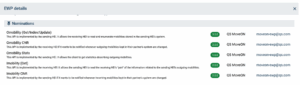
Checking if a partner has reached this stage is a simple process. You can watch this demo video to see how to quickly view this information in the EWP Stats Portal.
Operational Readiness
Operational readiness is defined as the ability to run mobility processes through EWP in practice. While an institution may be technically prepared, with all APIs active and ready, other elements may be lacking. Internal workflows, for example, may not be prepared. Staff may not have training in the new system, or any other reason that lies beyond the parameters of technical capability. Instead, there remains a predominant paper/email/form process for nominations.
Furthermore, different faculties within an institution may have reached varying levels of operational readiness; if some lag behind, this can create challenges for the process as a whole. It is also possible that an institution is operationally ready, with all procedures in place, but is still waiting for successful API testing, i.e. technical readiness.
Avoiding Confusion
The scenario in which a higher education institution (HEI) uses a system that has passed testing and has its API enabled, but is not yet operationally ready, can lead to confusion and delays between partners and should be avoided where possible. Fortunately, there are several ways to mitigate this. For example, users of the EWP Dashboard can switch processes on or off in the settings menu, allowing them to control when APIs are visibly active and aligned with operational readiness.
Communication between partners is vital, and the responsibility for updating partners lies with the insitution who is connected but not exchanging. If your institution is in such a position, and you cannot signal this by disabling APIs via your provider, we recommend proactively informing partners of your status and providing an estimated timeline for full operation. Announcing nomination processes and deadlines provides a natural opportunity to signal EWP readiness, without requiring additional communication.
If a partner institution is connected but not exchanging and has not communicated with you, please submit a ticket to the service desk, and our colleagues will follow up on your behalf.